
> Charging > Charging the charging case and earphones
Charging the charging case and earphones
When using a commercially available USB conversion AC adapter, make sure to choose one with an output voltage of DC 5 V and output current of 1 A and above. Otherwise, it may result in malfunction or abnormal heating.
Use only the supplied charging cable for charging.
The product is set to Power Save mode at the time of purchase. Charge the device for about 10 seconds using a USB cable to disable the Power Save mode and enable use.
Charge the charging case with the earphones placed inside.
Using the supplied charging cable, connect the charging case and a commercially available USB conversion adapter.
Insert the USB AC adapter into the AC outlet to start charging.
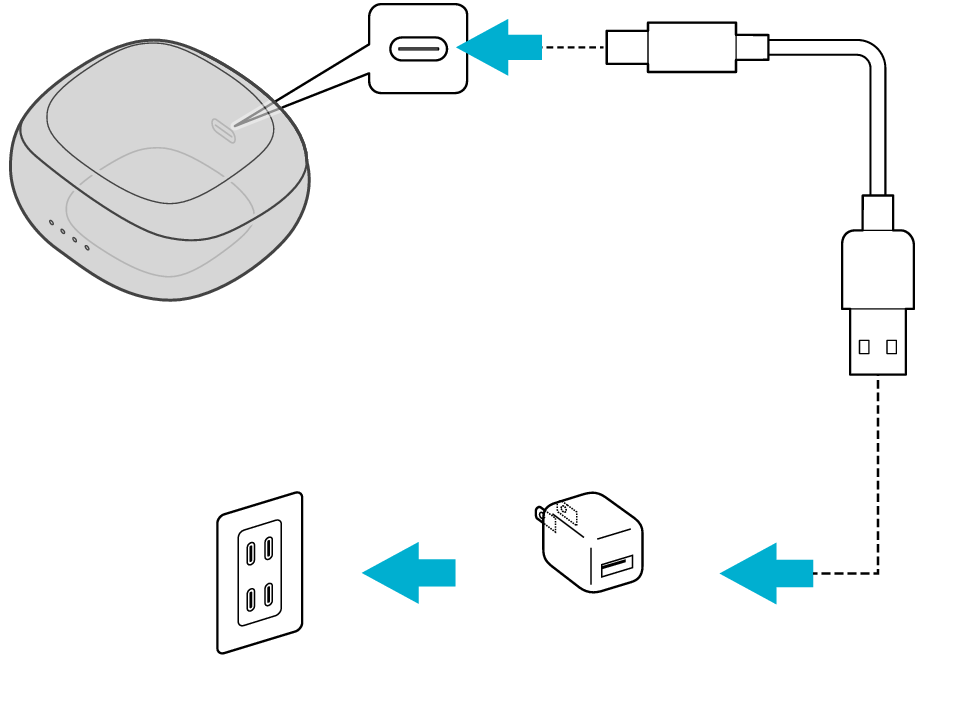
5V TYPE
The indicators for the charging case start flashing, indicating that charging has started.
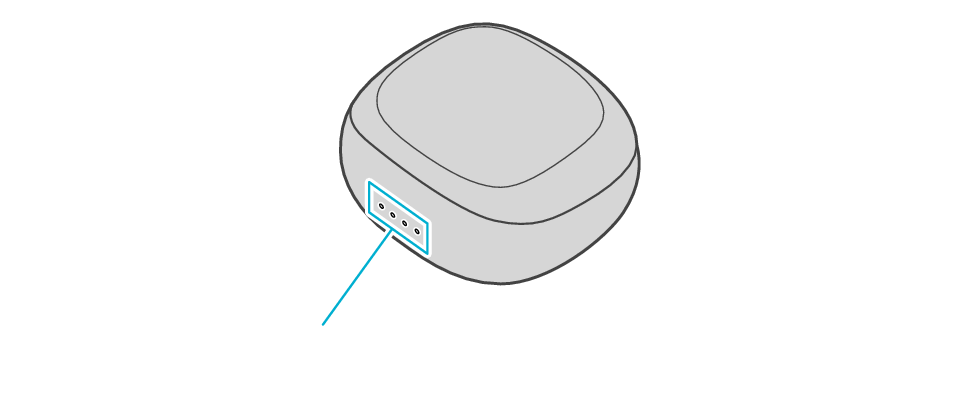
Indicators for the charging case

While charging is in progress, the indicators for the charging case will remain lit or flashing. When charging is complete, all indicators will turn off.
When charging both the charging case and earphones at the same time, the charging time is approx. 3.5 hours.
The charging time for the charging case is Approx. 2.5 hours.
Charging the Earphones
The earphones are placed inside the charging case at the time of purchase.
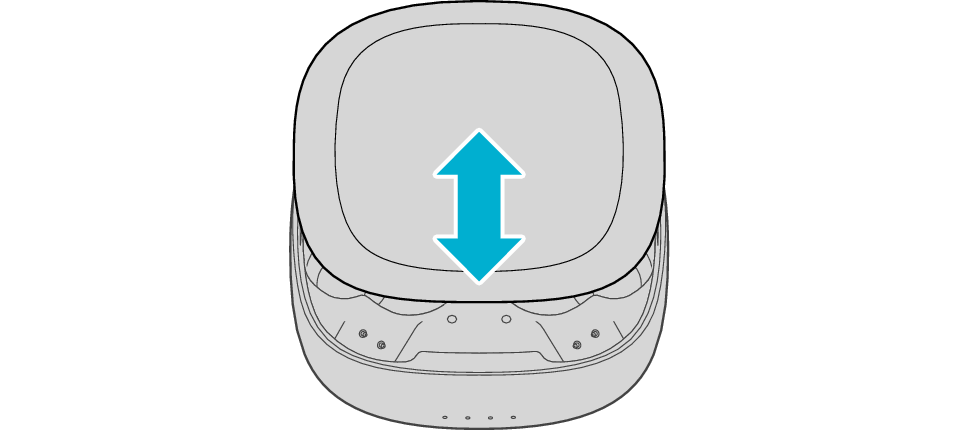
Slide the lid of the charging case to open or close it.
Insert the L and R earphones correctly and firmly into the charging case.

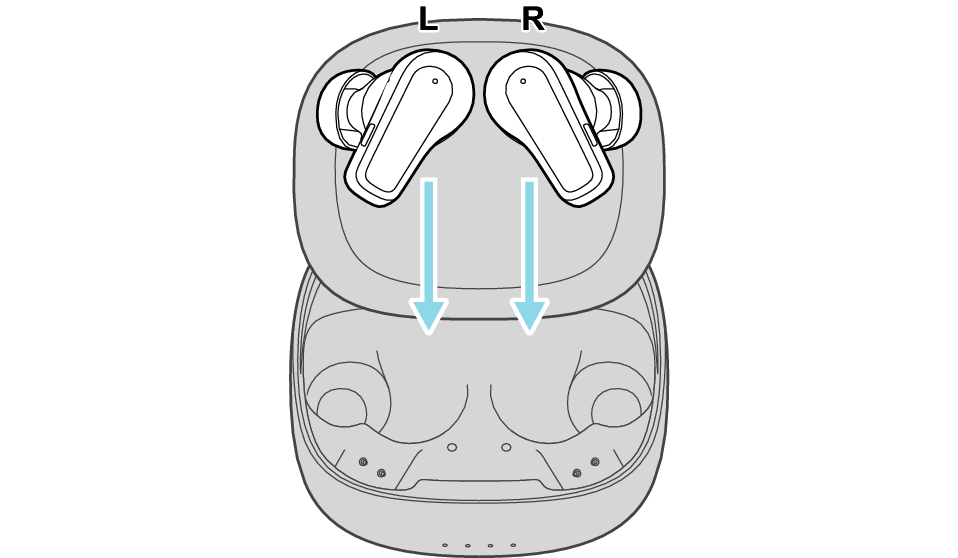
If there is water or sweat on the charging terminals of the earphones, wipe it off with a cotton swab or something similar before putting them back in.
Refrain from blowing on the charging terminals to remove water or sweat. Moisture from your breath may adhere to the terminals and cause rust, corrosion or malfunction.
The indicators for the earphones will remain lit while charging of the earphones is in progress. When charging is complete, the light of indicators goes out.
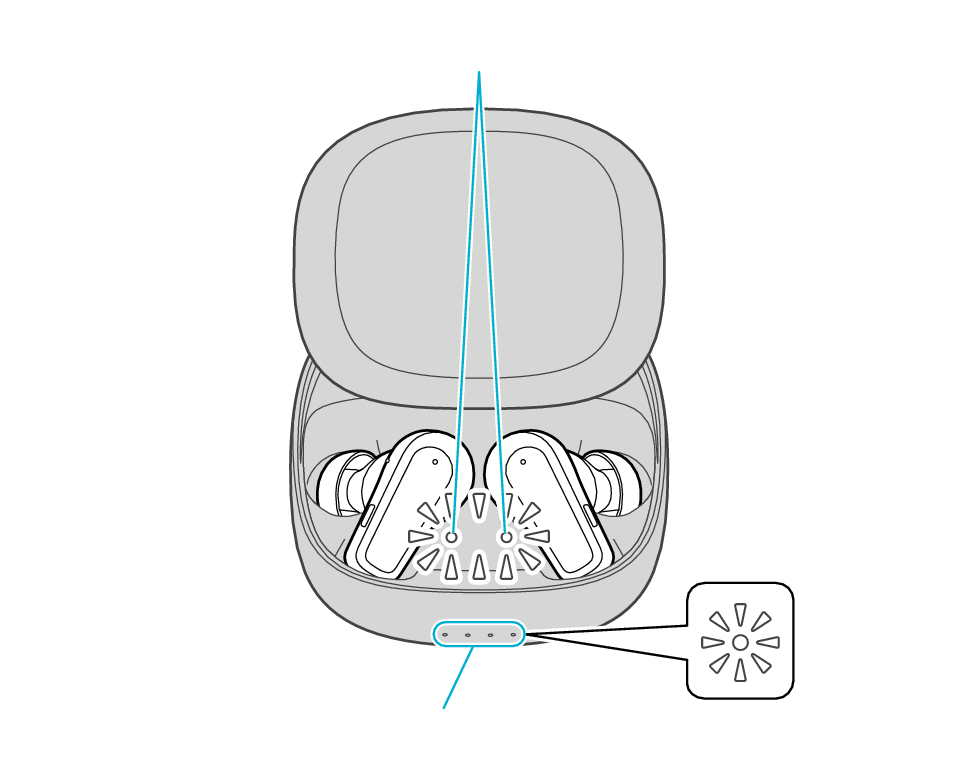
Indicators for the earphones
Indicators for the charging case
The charging time for the earphones is Approx. 1.5 hours.
Leaving the lid of the charging case open will drain the batteries of both the earphones and charging case. Always close the lid when charging.
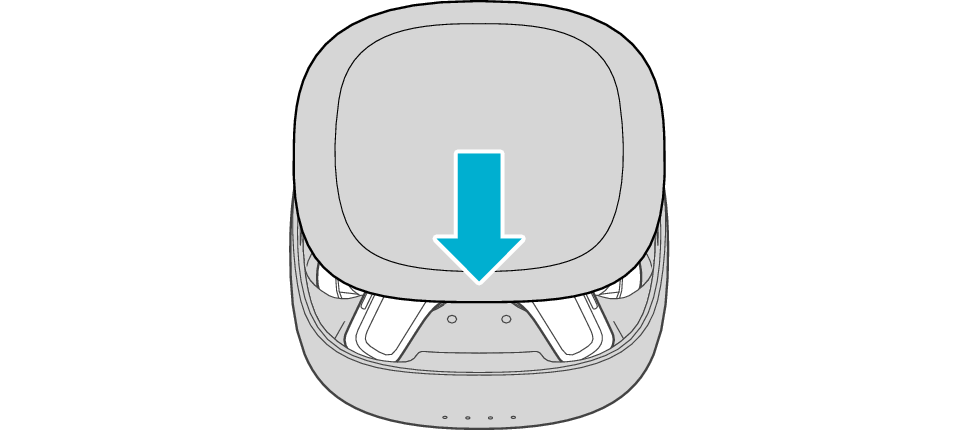

Make sure that the headphone unit is free of dust and not wet before charging.
After charging is complete, unplug the USB charging cable.
The charging case may stop charging if the temperature exceeds the charging temperature range (5 °C (41 °F) to 35 °C (95 °F)) (All the indicators for the charging case will appear flashing.) Charging will resume automatically in an environment where the temperature is back within the charging temperature range.
The earphones may stop charging if the temperature exceeds the charging temperature range (5 °C (41 °F) to 35 °C (95 °F)). Charging will resume automatically in an environment where the temperature is back within the charging temperature range.
Depending on the Bluetooth device connected, the remaining battery power of the earphones and charging case may be displayed, but this is only a rough indication of the actual remaining level. Use it as a guide.
To prevent deterioration of the battery, charge the charging case and earphones about once every 6 months when it has not been used for a long period of time.
When charging a charging case that has not been used for a long period of time, it may take some time before the indicators for the charging case light up or starts flashing. Wait for a while for the indicators for the charging case to light up or start flashing.
When charging earphones that have not been used for a long period of time, it may take some time before the indicators for the earphones light up. Wait for a while for the indicators for the earphones to light up.
We do not guarantee proper charging by all commercially available USB AC adapters.
Wireless Charging
The charging case can be charged using a wireless charger that supports “Qi”.
Charge the charging case with its bottom surface facing down.
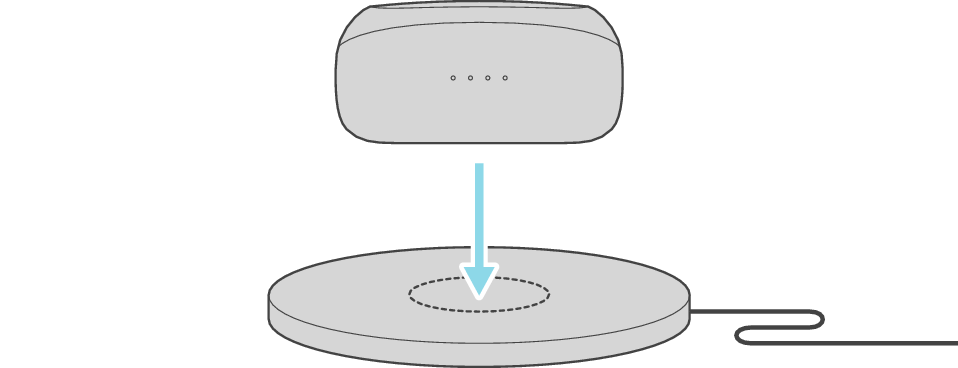
We do not guarantee proper charging by all commercially available Qi-certified wireless chargers.
During wireless charging, do not attach or place any metal objects on the wireless charger or the charging case. Doing so may cause fire or burn injuries.
Depending on the wireless charger in use, the surrounding temperature or location where the charging case is placed may cause the charging speed to slow down or charging to stop.