
Noise canceling effect is not noticeable

The following describes possible solutions when the noise canceling effect is not noticeable. Follow the steps below to check whether the problem can be resolved.
The noise-canceling feature may not be enabled
Setting the noise canceling function
Press the R earphone button once quickly
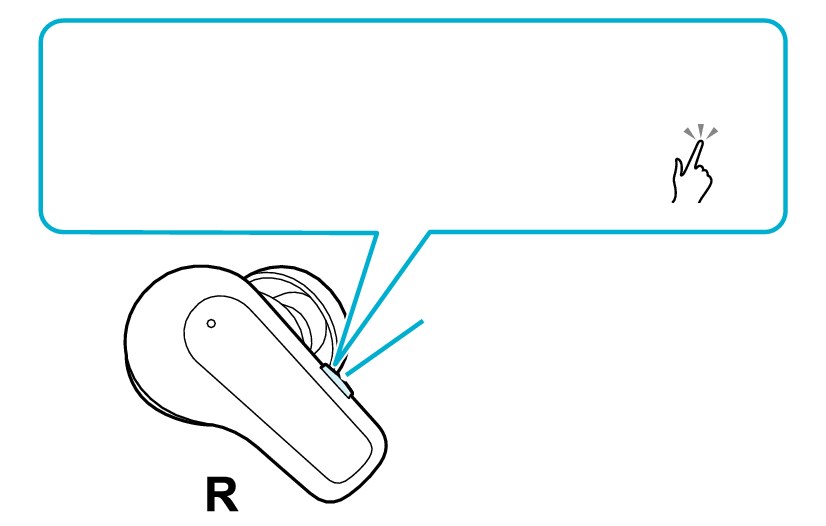
Switch to noise canceling mode
1x
Button
Each quick press switches on/off the noise canceling mode
Upon switching to the noise-canceling mode, “Noise Canceling” is output from the audio guidance.
Select the state after checking
Thank you for using Troubleshooting Guide.
Adjusting the position of the earphone may improve the symptom.
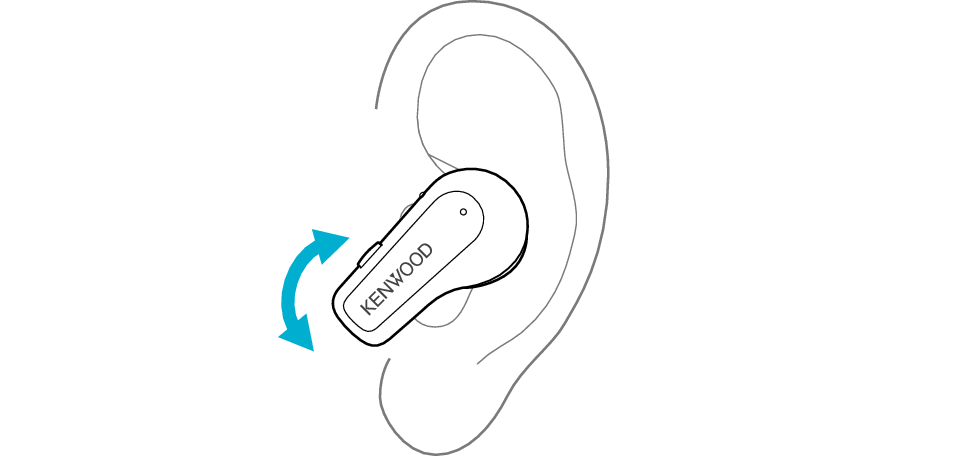
Adjusting the Earphone Position
Rotate the earphones to adjust them to the most comfortable angle.
Select the state after checking
Thank you for using Troubleshooting Guide.
Replacing the earpieces may improve the symptom.
The medium-size silicone earpieces are attached when purchased.
To enjoy good sound quality, choose a set of earpieces with a size that fits snugly into your ears.
Using an earpiece that is not of the right size or not aligned properly can result in a lack of bass or reduction of the noise canceling effect.
Check that the earpiece is securely attached as shown in the figure.
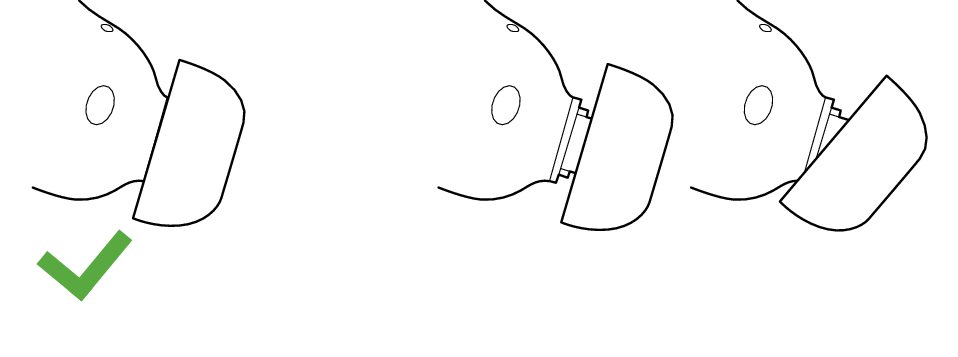
Correct
Wrong
If the earpiece is not securely attached, it may slipped off when in use and remain in your ear. If the earpiece remains in your ear, be careful not to push it further into your ear.
Adjusting the position of the earpieces may improve the issue.
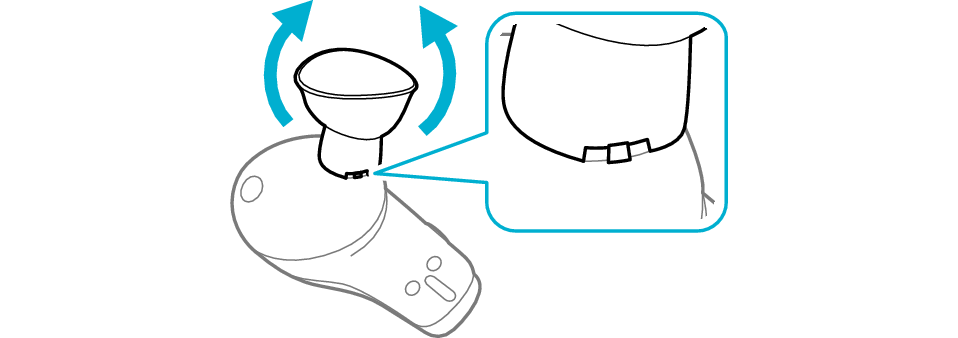
Adjusting the Earpiece Position
-
Flip the earpieces as shown in the illustration below, and align the notch on the earpieces and convex shape on the earphones.
-
Flip back the earpieces as illustrated in the diagram.

Select the state after checking
Thank you for using Troubleshooting Guide.
The effect may not be noticeable due to the surrounding environment.
The noise canceling function reduces the noise by generating sound that is exactly opposite in phase to the noise from the external environment.
Although the effect on low frequency noise such as noise from vehicles and air conditioners in a room is noticeable, it may not be as noticeable in a quiet place and with certain types of noise.
Move to another location and check the effect.